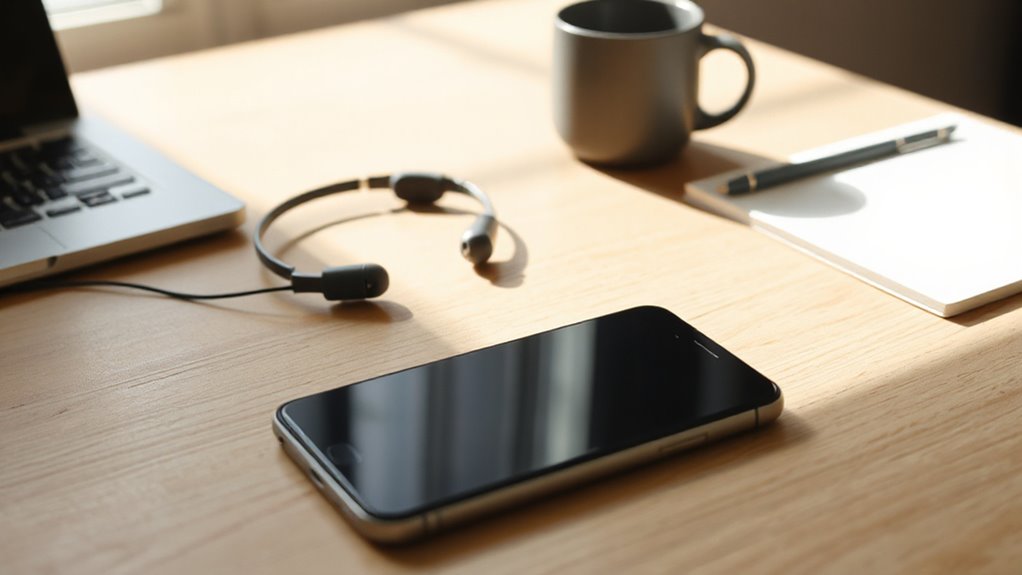
Why Phone Distractions Wreck Your Work Sessions
Every time a worker glances at a notification or reaches for a nearby phone, the brain must reorient itself before returning to the original task, and that cost accumulates quickly.
Research links frequent phone switching to measurably lower performance, with one study connecting heavy classroom phone use to a 6.3-point score reduction. Neural filtering helps explain why these switches degrade performance by interrupting early sensory processing.
Distraction does not require active use, either.
A phone does not need to be in your hand to steal your attention.
Simply having a phone visible creates an ongoing temptation that competes with concentration.
In safety-sensitive environments, this divided attention raises serious risk. Construction sites present especially dangerous conditions, where missing critical safety cues due to phone distractions can directly lead to accidents and injuries.
Recognizing how phone presence undermines focus is the necessary first step toward building more productive, interruption-resistant work sessions. Experts caution that using meetings as a phony productivity benchmark distracts teams from doing the real, focused work that drives results.
The Best App Blockers for Locking Out Distractions
Choosing the right app blocker depends on the platform, the desired level of enforcement, and how much friction a person needs to stay on task. Several strong options exist across devices and budgets.
- Freedom blocks apps and websites across Mac, Windows, iOS, and Android with Locked Mode preventing mid-session disabling
- Cold Turkey Blocker delivers near-unbreakable desktop enforcement, covering both websites and applications
- Opal offers deep focus blocking for iPhone users through Apple’s Screen Time API
- Screen Time and Digital Wellbeing provide free built-in controls, though enforcement remains lighter than third-party alternatives
SelfControl is a free macOS app that blocks a user-defined list of sites for a set duration, and the block remains active even if the app is deleted or the computer is restarted. Recovering from interruptions eats up time, which is why centralized capture and strong enforcement mechanisms are far more valuable than soft, easily overridden controls; research from the University of California, Irvine found that recovering from a single interruption takes an average of 23 minutes and 15 seconds, making strong enforcement mechanisms far more valuable than soft, easily overridden controls.
App Blockers That Add Friction Instead of Hard Locks
For people who still need access to certain apps but struggle with compulsive checking, friction-based blockers offer a practical middle ground between unrestricted use and hard lockdowns. Tools like One Sec and ClearSpace insert a brief pause, breathing prompt, or confirmation step before an app opens, disrupting the automatic impulse long enough to restore intentional choice. This approach works particularly well for social media, news, and weather apps that remain necessary but invite repetitive use. Critically, the friction must feel genuinely inconvenient. If bypassing requires only a quick tap, the brain adapts, and the limitation loses its behavioral impact entirely. Research on One Sec found that adding a one-second pause before opening distracting apps reduced usage by up to 57 percent. Employing such friction aligns with strategies like scheduled email checks that limit constant interruptions and support sustained focus.
Cross-Platform App Blockers vs. Mobile-Only Options
Whether someone works across a laptop, tablet, and phone or relies primarily on a smartphone, the right app blocker depends heavily on where distractions actually occur.
- Freedom syncs blocking sessions across Mac, Windows, iOS, Android, and Chromebooks simultaneously
- AppBlock centers on mobile screen-time control with added browser-extension support
- Cross-platform tools enforce one unified blocklist across every linked device
- Mobile-only blockers deploy faster but leave desktop distractions unmanaged
Freedom suits multi-device work sessions requiring consistent enforcement.
AppBlock serves users whose primary distraction source is their smartphone.
Matching the blocker to the actual distraction environment determines whether focus rules hold across every screen that matters. Locked Mode prevents ending a session early, reinforcing commitment to a focus block once it has been activated.
For users who have repeatedly bypassed software-only solutions, physical NFC blockers like Blok and Brick add a layer of real-world friction that cross-platform software tools cannot replicate.
Choosing a solution that also supports centralized management and access controls helps teams maintain consistent focus policies across devices.
Which App Blocker Fits Your Device Setup and Work Habits
Matching an app blocker to a specific device setup and work routine is the most reliable path toward enforcement that actually holds.
Android users benefit from Android-focused tools, while iPhone users often find iOS-centered options like Opal more precise.
Multi-device workflows suit cross-platform blockers such as Freedom, and desktop-heavy workstations align well with hard-enforcement tools like Cold Turkey Blocker.
Work habits matter equally.
Impulse-openers need friction-based interruption, while deep-work sessions demand full lockdown modes.
Scheduled blocking serves repeat work hours effectively. SelfControl cannot be disabled once activated, even if the app is deleted or the computer is rebooted.
App blockers work best when treated as complementary tools within a broader productivity strategy rather than standalone solutions.
Pairing the right platform coverage with the right enforcement strength removes guesswork and builds sustainable focus. A good system also takes advantage of cloud sync so settings and schedules stay consistent across devices.
Related Posts