Why Your Notes Feel Messy
For many students, the chaos in their notebooks begins not with carelessness but with speed. When dictation outpaces a comfortable writing pace by 20 to 40 words per minute, legibility collapses almost immediately.
Compounding this problem, students often attempt verbatim transcription, treating every detail as equally important. This habit produces cluttered pages where key concepts disappear beneath unnecessary information. Bullet points and numbered lists offer a straightforward alternative, allowing students to scan content quickly without wading through dense, unstructured prose. Poor communication practices, such as constant after-hours messaging, can increase stress and degrade study effectiveness, so adopting asynchronous communication habits helps maintain focus during study sessions.
Treating every word as equally vital, students bury their most important ideas beneath a flood of unnecessary detail.
Without clear headings, logical formatting, or defined organizational systems, scattered points become genuinely difficult to decode during review. Messy notes rarely reflect poor intelligence; they reflect poor strategy.
Recognizing these specific causes is the essential first step toward meaningful, lasting improvement. Dedicating just 10 to 15 minutes daily to straight-copy practice helps rebuild the controlled, deliberate writing habits that speed-driven note-taking erodes over time.
How to Choose a Note-Taking Method That Fits Your Style
Choosing the right note-taking method begins with understanding how one naturally processes and retains information. The VARK model identifies four primary learning styles: Visual, Auditory, Reading/Writing, and Kinesthetic.
Visual learners benefit from mind maps, diagrams, and color-coding. Auditory learners retain information better through verbal repetition, recorded lectures, and group discussions. Reading/Writing learners thrive using structured outlines, full sentences, and text annotation. Kinesthetic learners perform best with hands-on approaches, such as rearranging physical notes or walking while reviewing material.
Many students combine styles, particularly for complex subjects. Testing different methods and adapting them accordingly produces the most reliable, long-term retention results. The Charting Method organizes information into tables and grids, making it especially effective for logical and analytical learners who need to compare facts side by side.
To further support retention, auditory learners are advised to listen first, then write summary points rather than attempting to record information while listening simultaneously. Try keeping a small daily list of review tasks, limited to 3-6 items to ensure consistent follow-through and avoid overwhelm.
How to Build a Hybrid Paper and Digital System That Sticks
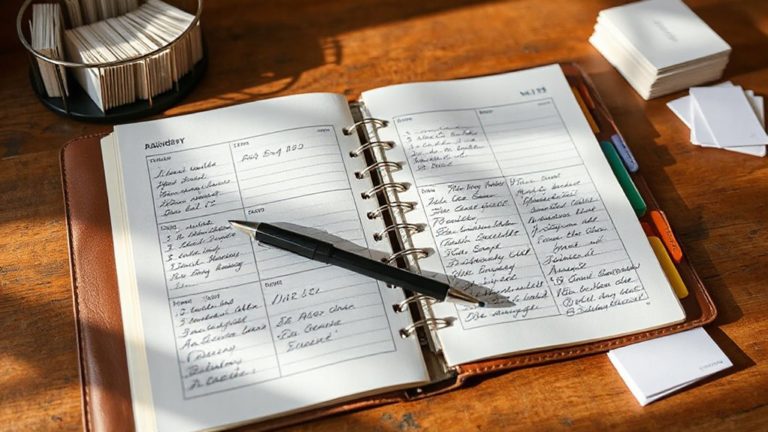
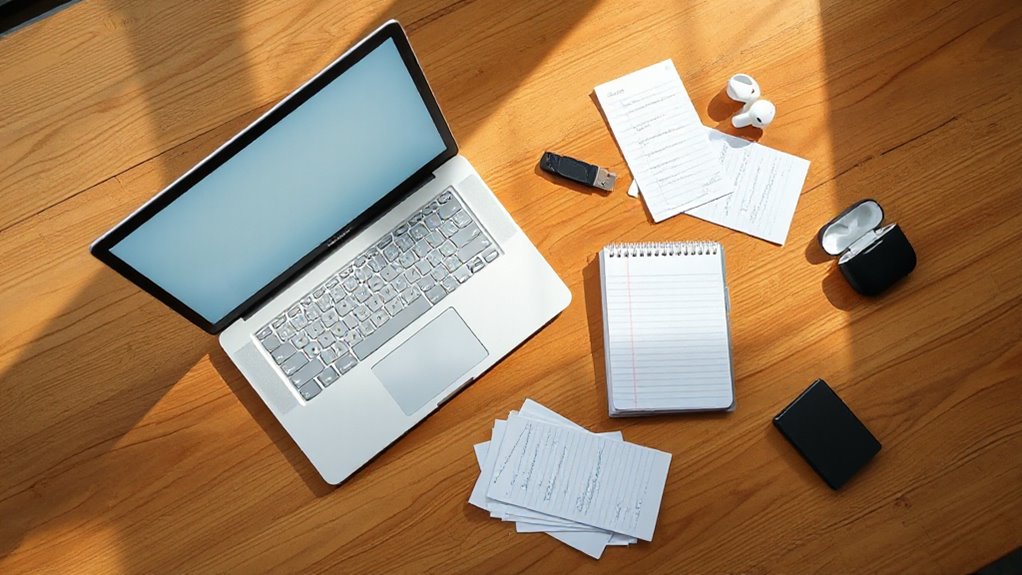
Striking the right balance between paper and digital tools requires more than simply using both—it demands a deliberate structure that assigns each medium a specific role. Paper handles day-of notes, meeting thoughts, and fleeting ideas, while digital systems manage anything dated, searchable, or shareable. Centralizing files in a cloud repository makes it easier to find and back up important study materials.
Students should establish a daily workflow: ten minutes each morning capturing priorities on paper, then fifteen minutes each evening transferring deadlines and key insights into digital apps. This consistent rhythm prevents information from falling through the cracks.
Clear boundaries between both systems reduce cognitive load and eliminate the confusion that comes from maintaining two fragmented, overlapping repositories. Tools like the Rocketbook allow students to write on reusable pages and instantly route scanned notes to destinations like Google Drive or Dropbox through a free app at no subscription cost.
Research consistently shows that handwritten note-takers outperform their typing counterparts on conceptual questions, making the case for keeping paper central to the learning process rather than treating it as a backup option.
How to Organize Digital Notes With Templates and Mirroring
Once a hybrid system is in place, the next step is bringing structure to the digital side through templates and mirroring. Templates like Cornell, Charting, and Mapping methods give digital notes consistent frameworks, making retrieval faster and review more effective. Many productivity platforms also offer built-in templates and automation to speed this process, especially in apps that support template packs.
Mirroring means replicating the same category structure used in physical notebooks within digital folders, creating seamless navigation between both systems. Evergreen notes build a searchable long-term knowledge library, while Bullet Journaling templates support daily task tracking.
When digital organization mirrors physical organization, students spend less time searching and more time learning from what they have already captured. Tools like Notion, Roam Research, and Obsidian allow students to save and customize templates for quick template insertion using simple shortcuts or commands.
Template packs designed for apps like Notability, GoodNotes, and Noteshelf address the limitations of built-in paper options by offering expanded layouts across lined, dotted, grid, Cornell, and lecture formats. Top recommended apps for digital note-taking include Notability, GoodNotes, Noteshelf, each offering built-in paper options that can be further extended with downloadable template packs for greater organizational flexibility.
How to Migrate Old Notes Into Your New System
Between building a new organizational system and letting go of the old one, students often find themselves caught in a shift that feels more intimidating than it actually is.
A practical approach involves installing the new app alongside the existing one, capturing fresh notes there for one week before transferring anything. A 30-day assessment period then reveals which old notes genuinely matter. Most students retrieve fewer than ten. Using Desktop Stacks can help keep your desktop organized while you test the new setup.
For file transfers, Mac users can access notes directly through /Users/user_name/Library/Group Containers/group.com.apple.notes. AirDrop or iCloud sync handles selective transfers efficiently.
Keeping the old app as a read-only archive preserves access without disrupting the new system. Exporting old notes as a backup file to cloud storage separates the archive function from the working function, keeping the primary workspace free of clutter. When switching between Apple IDs, turning on iCloud syncing first and choosing Keep on My Device when prompted ensures notes remain intact during the transition.