



Spot What’s Draining Your Office Productivity
Where does office productivity actually slip away? Research points to a few visible culprits.
Lighting ranked first among 16 indoor factors, and some findings suggest benefits do not appear until roughly 750 lux.
Noise from others scored 6.01 as a stressor, while workstation setup ranked among the top five factors.
Air freshness and temperature also placed highly. In a comparison of two offices, the one without air conditioning reported greater dissatisfaction and lower productivity because of temperature, noise, and air quality.
Begin by walking the workspace and noting headaches, eye strain, distraction, and discomfort, since each signals a specific problem. Regularly tracking these symptoms helps reveal systemic patterns that point to root causes.
Because these factors work together as a system, patterns matter more than isolated complaints.
Identifying them clearly makes targeted, affordable improvements more achievable.
Cut Office Noise With Panels and Quiet Zones
Once noise has been identified as a drag on focus, the most effective response combines sound absorption with smart separation of activities. Three steps deliver the strongest results:
The most effective fix for office noise pairs sound absorption with smart separation of activities.
- Treat key surfaces. Install wall panels, ceiling clouds, or baffles rated NRC 0.80 or higher, covering roughly 25% to 30% of wall and ceiling area near talkers and walkways. Ceiling clouds suspended 6 to 12 inches below the ceiling above workstation clusters are especially effective because they interrupt flutter echo across the open floor.
- Designate quiet zones. Place focus workstations away from kitchenettes, printers, and busy corridors, and add booths for calls. Consider centralizing shared documents and resources in a cloud repository to reduce foot traffic and device-related noise.
- Add buffers. Shelves, cabinets, and acoustic desk dividers create quieter micro-zones without sacrificing openness.
Together, these changes can reduce distractions and help employees concentrate. High-performance acoustic panels can reduce background noise by up to 80%, which matters because 69% of employees in open-plan offices cite noise as their number one distraction.
Brighten Workspaces With Task Lamps and Glare Control
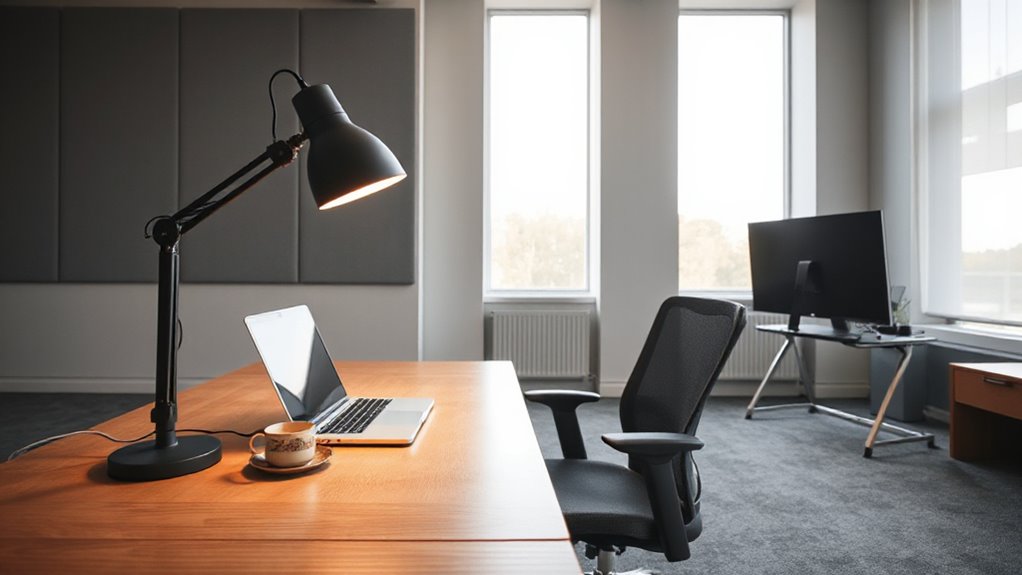
Poor lighting is one of the most overlooked causes of fatigue at the desk, yet it is also among the easiest to correct. A flexible task lamp with a moveable arm directs light where the work happens, allowing the general room lighting to stay softer. Case studies measured occupant comfort improvements of 10% to 16% with adjustable task lighting. Place it to one side of the task rather than behind the desk, so light does not bounce off the screen. Position screens at right angles to windows, and use blinds or shades to block direct sunlight. Cleaning monitors frequently also helps, since a layer of dust can contribute to glare on screens. Shielded or diffused bulbs reduce glare, while 300 to 500 lux at the task suits office work. Short, frequent breaks can also help maintain attention and reduce fatigue during long desk sessions, particularly when combined with task-focused work intervals.
Set Up an Ergonomic Desk for All-Day Comfort
Because an office worker may spend six to eight hours a day at one desk, even small mismatches between body and workstation can add up to stiffness, strain, and declining focus by afternoon. A few adjustments restore comfort without a major budget. Setting the seat tilt level or slightly downward, with about a two-finger width gap between the seat cushion and the back of your knees, helps keep pressure off your thighs.
- Chair: Keep feet flat, knees and hips near 90 degrees, and thighs parallel to the floor. Workplace stress can magnify discomfort and reduce productivity, so addressing ergonomics helps mitigate workplace stress impacts.
- Desk and keyboard: Match the surface to elbow height, keeping forearms horizontal and wrists straight; use a keyboard tray if needed.
- Monitor: Place it directly ahead, an arm’s length away, with the top at or slightly below eye level.
Keep moving. Stand up, stretch, or walk every 45 to 60 minutes to relieve the strain that builds during long stretches of sitting.
Prioritize Fixes in One Office Productivity Plan
With a comfortable desk in place, the next step is deciding which workplace improvements deserve attention first, since trying to fix everything at once often drains time and budget without producing noticeable results.
A single plan works best when it follows the order of greatest disruption.
Begin with noise, since open-plan offices show sound peaks outside healthy ranges far more often than enclosed layouts. A real-world experiment at a technology company found that zoned open-plan and team offices improved satisfaction, enjoyment, flow, and productivity compared with standard open-plan layouts. Consider adding quiet zones or micro-break routines to help employees recover focus through brief mindfulness.
Next, audit lighting, adding task lamps and daylight access where illuminance falls short. Because lighting needs depend on age, with eyesight in a person’s twenties being eight times better than in their sixties, task lamps should let each person adjust the light to suit them.
Poor lighting quietly undermines focus, so measure illuminance first, then add task lamps and daylight access wherever readings fall short.
Then address ergonomic strain, starting with workstations used for full-day computer work.
Finally, reassess after each change, so decisions rest on evidence.